JSON Formatter & Validator Free
Paste your JSON to beautify, minify, and validate instantly. Get clear error hints with line + column, copy output with one click, or download the formatted JSON file.
{"}" Input JSON
✓ Output
How to use
Paste JSON → click Validate, then Beautify or Minify. If there is an error, use Jump to error to locate it. Next: copy the result or download as a .json file.
Advanced JSON Formatter & Validator — Beautify, Minify & Validate JSON Instantly
JSON is the backbone of modern web development. From APIs and configuration files to structured data and application settings, JavaScript Object Notation (JSON) is used everywhere. However, working with messy, compact, or invalid JSON can slow down development and cause frustrating errors.
Our Advanced JSON Formatter & Validator tool helps developers, students, and SEO professionals quickly beautify, minify, and validate JSON code in seconds. Whether you’re debugging an API response, preparing structured data markup, or reviewing configuration files, this tool makes JSON readable and error-free.
Need to convert structured data into documentation tables? Try our markdown-table-generator to quickly create GitHub-ready tables from raw data.
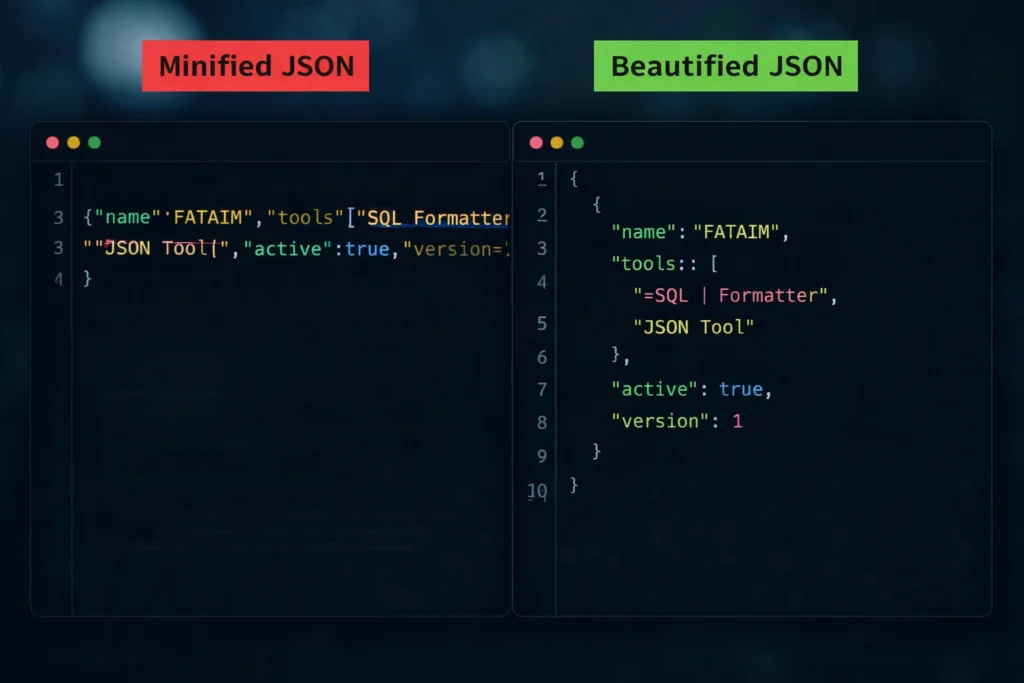
When JSON is minified, it often appears as a single long line. While compact JSON is useful for production environments, it is difficult to read and debug. With one click, you can beautify JSON into a clean, properly indented structure. This improves readability and makes nested objects and arrays easy to understand.
When cleaning large datasets, you may also need to remove repeated entries — our remove-duplicate-lines tool helps eliminate duplicate text instantly.
On the other hand, if you need compact output for faster transmission or optimized storage, the minify function removes unnecessary spaces and line breaks without affecting the data structure.
The built-in validator ensures your JSON is syntactically correct. If there is an error, the tool highlights the exact line and column where the issue occurs. This feature is especially helpful when working with large JSON files or API responses.
This JSON tool runs entirely in your browser. No data is uploaded to any server, ensuring privacy and security. You can safely validate sensitive configuration files, structured data, or development content.
Whether you are:
- A developer debugging API responses
- An SEO professional validating JSON-LD structured data
- A student learning JSON syntax
- A backend engineer reviewing configuration files
This tool provides a fast, reliable, and user-friendly solution.
If you frequently work with database queries, you can also use our SQL Formatter to instantly clean and structure complex SQL statements for better readability.
Why Use Our JSON Formatter Tool?
Bullet Content
✔ Beautify JSON for clean, readable formatting
✔ Minify JSON for optimized production output
✔ Validate JSON with clear error messages
✔ Detect line and column number of syntax errors
✔ Copy formatted JSON instantly
✔ Download output as a .json file
✔ Dark mode for developer-friendly UI
✔ 100% browser-based – no data leaves your device
Fast, secure, and free — built for developers and power users.
Who Should Use This Tool?
- Frontend & backend developers
- SEO professionals validating JSON-LD
- Students learning JSON syntax
- API testers and software engineers
Can this tool handle large JSON files?
Yes. The tool processes large JSON files efficiently within browser limits.
Does this tool support JSON-LD?
Yes. Since JSON-LD is standard JSON, it can be beautified and validated here.
Is this JSON formatter free?
Yes. This tool is completely free with no sign-up required.
What is a JSON formatter?
A JSON formatter converts compact or messy JSON into a clean, properly indented structure that is easier to read and debug.
What is the difference between beautify and minify JSON?
Beautify adds spacing and indentation for readability, while minify removes unnecessary spaces to reduce file size for production use.
How does JSON validation work?
The validator checks JSON syntax and identifies errors. If invalid, it shows the exact line and column where the issue occurs.
Is my JSON data stored or uploaded?
No. This tool runs entirely in your browser. Your data never leaves your device.
Can I validate JSON-LD structured data?
Yes. Since JSON-LD is standard JSON format, this tool can validate and beautify JSON-LD structured data used for SEO.
Explore More Developer Tools:
- SQL Formatter – Clean and structure complex SQL queries instantly.
- Markdown Table Generator – Create perfectly formatted GitHub tables.
- Remove Duplicate Lines – Eliminate duplicate entries from large text lists.
 FatAimTools