Text Case Converter – Free Online Tool
Convert Text Instantly to Any Case Style
Welcome to the Text Case Converter, a free online tool that instantly changes your text into different case styles. Whether you’re a writer, student, programmer, or content creator, this tool helps you format text with just one click.
How to Use the Tool
Paste or type your text into the box.
Click one of the case style buttons (UPPERCASE, lowercase, Title Case, etc.).
Copy the converted text and use it anywhere you like.
Text Case Converter
What is a Text Case Converter
A text case converter is a free online tool that instantly changes the capitalization style of your text. It supports these case formats:
UPPERCASE – Converts all letters to capital letters.
lowercase – Converts all letters to small letters.
Title Case – Capitalizes the first letter of each word.
Sentence case – Capitalizes the first letter of each sentence.
aLtErNaTiNg CaSe – Optional fun format for creative text.
Use this tool to quickly reformat text for social media, documents, coding, or SEO.
Features of Our Text Case Converter
🔹 Easy-to-use, no signup required
🔹 Instant text conversion
🔹 Works on desktop and mobile
🔹 Supports unlimited text length
🔹 Free forever
Check our Upside Down Text Generator Tool
Also Check our Two in One Word & Character counter
Why Use a Text Case Converter?
A Text Case Converter is a handy tool for students, writers, developers, and content creators. It helps save time by instantly adjusting text formatting without manual editing. Whether you’re preparing an academic paper, coding documentation, or writing professional emails, the right text case improves readability, style, and consistency. This tool ensures your text always looks polished and ready to use.
Types of Text Case Conversions
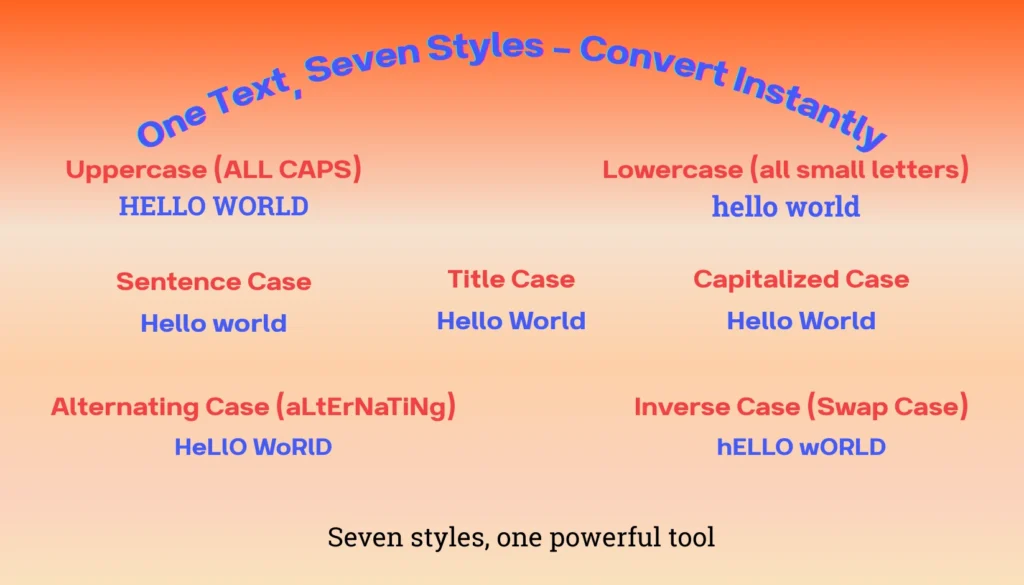
Our Text Case Converter supports seven different formatting styles to fit your writing needs. Below are the available options with clear explanations and examples:
Types of Text Case Conversions:
1. Uppercase (ALL CAPS)
Converts all letters into capital letters.
Example: hello world → HELLO WORLD
2. Lowercase (all small letters)
Converts all text into lowercase letters.
Example: Hello World → hello world
3. Sentence Case
Capitalizes only the first letter of the first word in a sentence.
Example: HELLO WORLD → Hello world
4. Title Case (Capitalize Each Word)
Capitalizes the first letter of each word,
commonly used for titles and headlines.
Example: hello world → Hello World
5. Capitalized Case
Capitalizes the first letter of every word,
while keeping the rest in lowercase.
Example: HELLO WORLD → Hello World
6. Alternating Case (aLtErNaTiNg)
Switches letters between lowercase and uppercase.
Example: hello world → HeLlO WoRlD
7. Inverse Case (Swap Case)
Flips uppercase to lowercase and lowercase to uppercase.
Example: Hello World → hELLO wORLD
Use Cases of Text Case Converter
Here are some practical ways people use a Text Case Converter in everyday tasks:
- Academic Writing: Students can format essays, research papers, and references correctly.
- Blogging & Content Creation: Writers and bloggers can instantly polish article titles and subheadings.
- Social Media Posts: Marketers can create attention-grabbing captions by using uppercase or alternating text.
- Email Communication: Professionals can keep emails neat, formal, and well-formatted.
- Coding & Development: Developers can convert text for variable names, code comments, and documentation.
- Design & Branding: Graphic designers can style text consistently for posters, logos, or presentation
FAQ
Q1. What is a Text Case Converter?
A text case converter is an online tool that changes the capitalization style of text into formats like UPPERCASE, lowercase, Title Case, or Sentence case instantly.
Q2. Why should I use a Text Case Converter?
You should use a text case converter to save time when formatting text for documents, coding, emails, or social media posts, ensuring consistency and readability.
Q3. Which case formats does this tool support?
This tool supports UPPERCASE, lowercase, Title Case, Sentence case, and Alternating Case.
Q4. Is the Text Case Converter free to use?
Yes, this Text Case Converter is 100% free and works directly in your browser without requiring downloads or signups.
Q5. Can I use it on mobile devices?
Yes, the tool is fully responsive and works on desktop, tablet, and mobile devices.
 FatAimTools